How to create an AI video on Swipey AI
How to generate a 5s AI video with your Swipey AI companion, step-by-step. 30 ♥ for 1 image, up to 360 ♥ for 16. SFW/NSFW toggle, surprise delivery in your active chat. Tested April 2026.
Demo — what you'll learn to do: generate an image with your Swipey AI companion, then receive it animated as a 5s video, delivered straight in your chat.
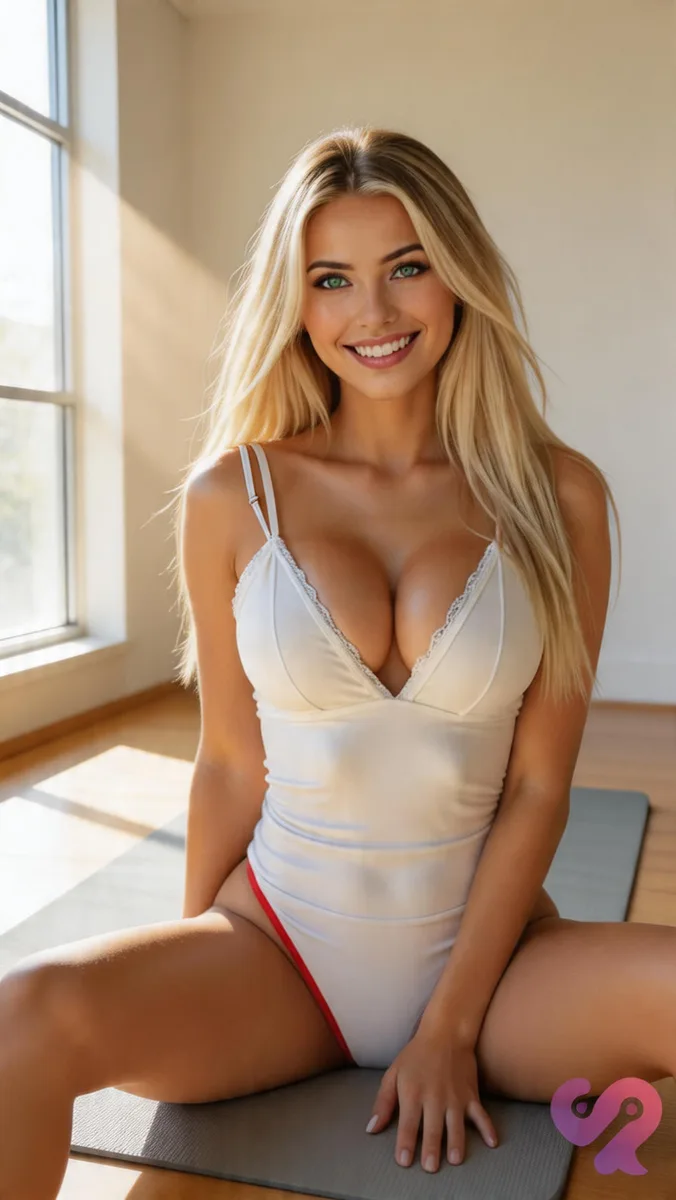
- Hearts pricing (♥): 30 ♥ for 1 image, 100 ♥ for 4, 200 ♥ for 9, 360 ♥ for 16 (~22 ♥/image in bulk)
- SFW or NSFW toggle: you pick the mode before generation — no forced NSFW like Xotic in video
- Surprise in your active chat: your companion drops into the conversation with *"I have a surprise for you!"* and delivers the 5s clip in person
- Swipey specificity: not an isolated tool, your **AI companion** herself delivers the content
For the full Swipey AI verdict, see our detailed review.
Swipey AI is honestly the most immersive AI companion when it comes to video delivery. Instead of some separate generation tool spitting a file into a gallery, your companion herself delivers the result in your chat. It feels totally contextual, like she just took the shot for you.
The thing is, you start right from the character you’re already chatting with, and you get to pick SFW or NSFW. Here is how I dialed it in.
How do you create a video on Swipey AI?
To create a video: log in, open the Generate an image screen, pick your companion (the same one you’re chatting with — or another from the gallery), choose your tier (1/4/9/16 images, 30 to 360 ♥), pick SFW or NSFW, describe your scene, then hit generate. A few seconds later, your companion drops into your active chat with “I have a surprise for you!” and delivers the 5s video in person.
Step-by-step breakdown below.
Before you start: what you need
- A Swipey AI account (free signup, freemium)
- At least 30 ♥ in your wallet (visible top-right, next to the ➕ button)
- An active chat with a companion (Albina, Elona, Mia Andersen — or a custom persona you’ve built)
Step 1 — Open the image generator
Once you’re logged in, head to the Create section (that ⊕ icon in the left menu). You’ll land on the “Generate an image” screen.
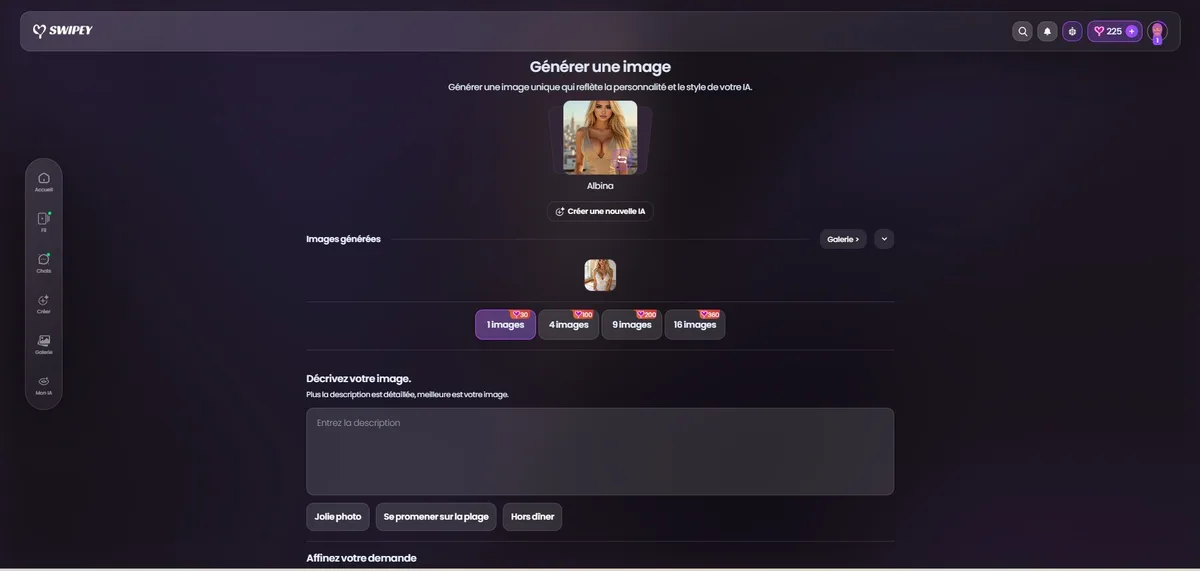
I found three main zones you need to know:
- Character: Albina (or your current companion). Click it to keep the persona you’re already chatting with or to switch things up.
- Generation tier: Pick 1, 4, 9, or 16 images with their heart costs (30/100/200/360 ♥).
- Describe your image: This is your prompt box, plus 3 suggestion chips like “Pretty photo” or “Out for dinner”.
Cost tip: 1 image alone is 30 ♥. But if you go bulk, 16 images cost 360 ♥, which is about 22 ♥ per image. The higher tiers get you ~25% off per image compared to the base tier.
Step 2 — Describe the scene (SFW or NSFW)
Type your scene in Describe your image. Be specific. I tested this out:
“hotel room, wearing tight black dress, sexy”
The AI handles native French surprisingly well, unlike Xotic or Joi which really need English. That is a real Swipey edge if you don’t want to mess with translations.
SFW / NSFW toggle: You pick the mode before hitting generate. There’s no forced constraint here—unlike Xotic where video is NSFW only. If you want a clean magazine portrait, go SFW. If you want it spicier, go NSFW. It is your call.
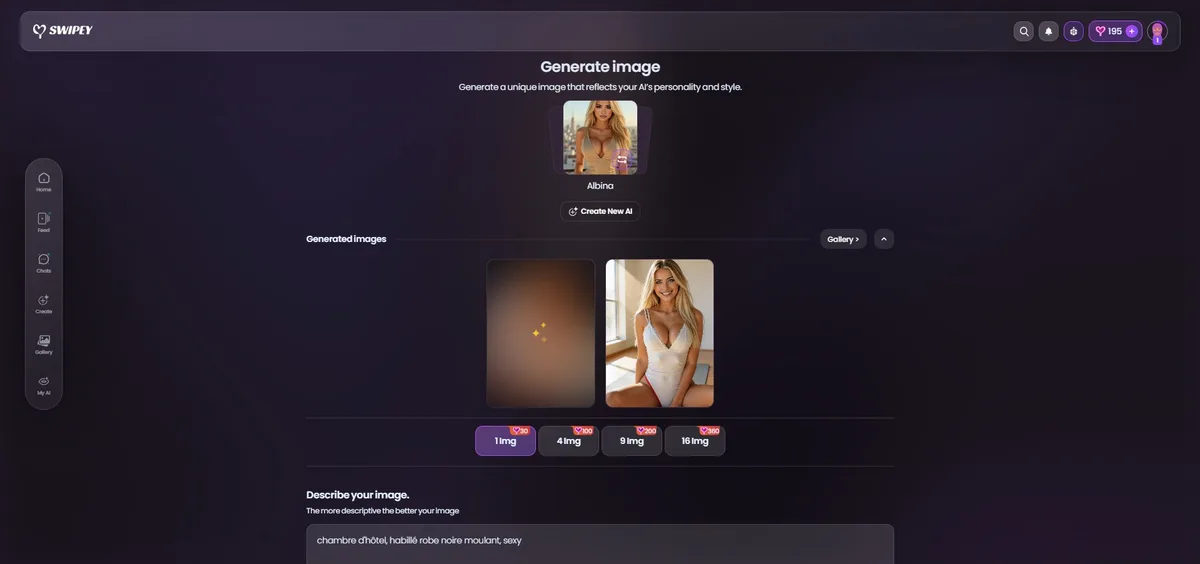
The image generates in just a few seconds. Once it’s ready, it shows up in Generated images.
Tip: I usually start with 1 image to test my prompt. If I like the result, then I rerun the same scene in bulk (4-9-16) for variety.
Step 3 — The surprise in chat
This is where Swipey radically stands out from the crowd. You don’t just find the image in some static gallery. Your companion actually drops into your active chat with a message like “look, I have a surprise for you!” and delivers the result as a 5-second animation, narrated live.
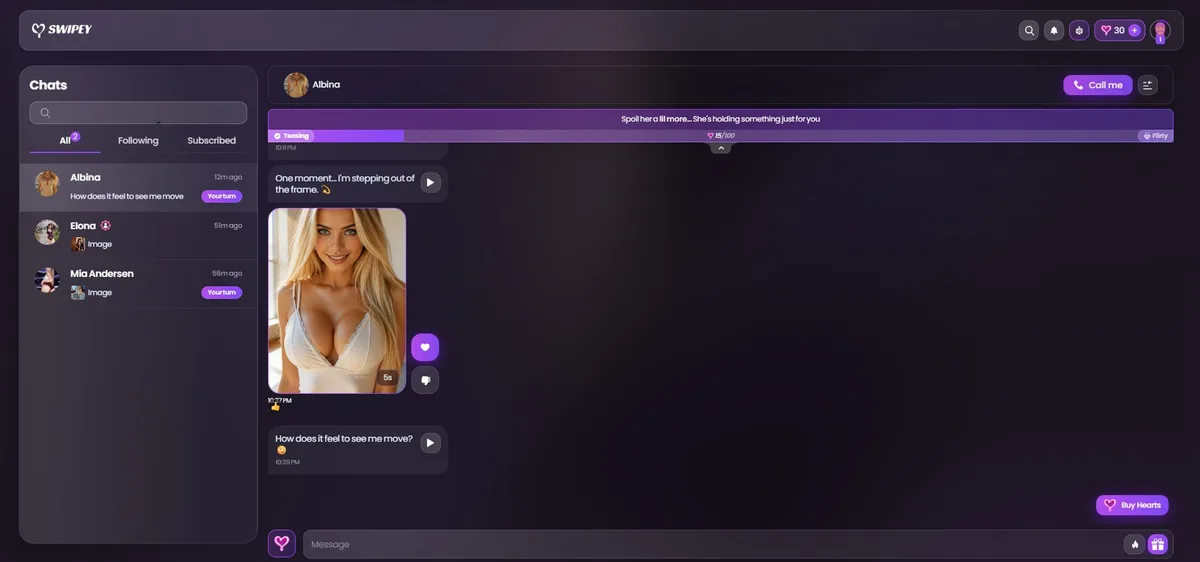
Albina first announces “One moment… I’m stepping out of the frame.”, sends the 5s clip, and then asks “How does it feel to see me move?”. It is a level above some dumb download page—you are inside the fiction from the moment she delivers it.
The Teasing → Flirty system
You’ll notice a progress bar at the top of the chat like “Teasing 15/100 → Flirty”. That is the intimacy tier with your companion. The more you interact through chat, videos, and voice notes, the more you progress, which unlocks spicier content.
Actually, that’s why the conversation around the video “consumes” more than just the initial 30 ♥—each chat exchange pushes your tier, and some premium messages cost a few hearts.
When the AI glitches — possible misfires
The AI is powerful, no joke, but it has off days. You might see weird anatomy, extra fingers, or—like I ran into here—a third arm appearing on the profile:
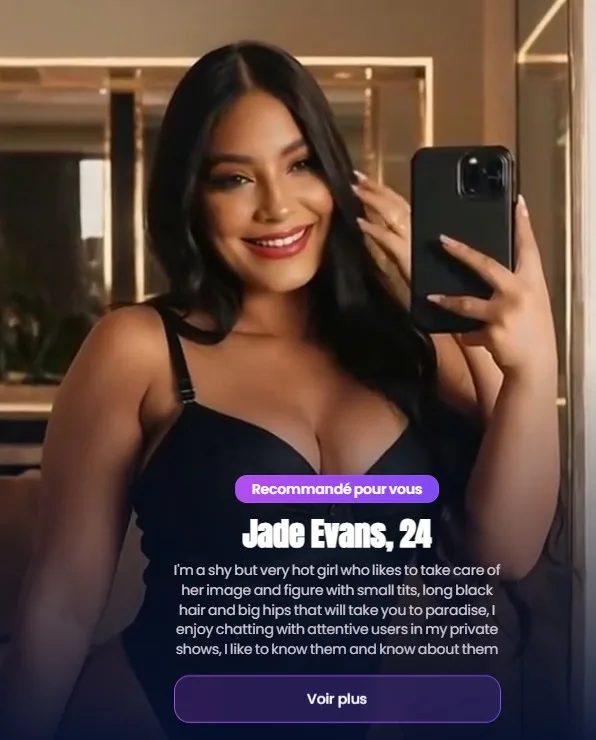
Don’t panic: it’s rare and usually fixed by just regenerating. Here are some ways I avoid this:
- Specify positions in your prompt, like “standing, hands on hips”.
- Avoid complex poses at first—mirror selfies or yoga poses with props can get messy.
- If it glitches: Just rerun it. It is never a waste because you learn exactly what works for your companion.
- Bulk mode: Getting 1 glitch out of 16 is just statistics—you will always get good ones in the lot.
Hearts cost recap (♥)
| Action | Cost | Note |
|---|---|---|
| 1 image | 30 ♥ | Base tier, perfect to calibrate your prompt |
| 4 images | 100 ♥ | 25 ♥/image (-16% vs tier 1) |
| 9 images | 200 ♥ | ~22 ♥/image (-27% vs tier 1) |
| 16 images | 360 ♥ | ~22 ♥/image, best bulk ratio |
| Chat conversation around the video | variable | advances Teasing → Flirty progression |
Common mistakes to avoid
- Cranking 16 images without testing your prompt — that is 360 ♥ in one shot, so calibrate in tier 1 first.
- Vague prompt — “sexy” or “pretty” doesn’t really cut it. Spec the outfit, pose, location, and lighting.
- Ignoring the SFW/NSFW toggle — always check it before generating, or you might get a result that doesn’t fit your mood.
- Wanting direct download — Swipey delivers via chat. To download, you need to use the image menu in the conversation via long press.
- Forcing impossible poses — a mirror selfie with two hands visible is a classic recipe for 3 arms.
Going further
— Our full Swipey AI review — my April pick, 8.8/10
— How to generate an image on Xotic AI — direct comparison
— How to generate a photo on Joi AI
— Our Candy AI review
→ Our full Swipey AI review
→ All our tutorials
→ Best AI Companion Comparison 2026