How to generate a Dream Clips video with Joi AI
Joi Dream Clips tutorial: how to generate an AI video with Joi AI. 200 Neurons (~$4) for 5 seconds, +100 Neurons to extend to 10 seconds with Extend. Full flow tested May 2026 — including from the Joi Babes chat.
Demo — what you're about to learn: how to generate an AI video in 20 to 40 seconds with Joi Dream Clips. Two flows available: through the "Make a video" catalog (dedicated video models) or straight from a Joi Babe's individual chat. Screenshots, real prices and cost breakdown.
- Step 1 — Pick your flow: either the "Make a video" catalog (dedicated video models), or the individual chat with a Joi Babe or a custom character
- Step 2 — Set the options: undress / position / prompt (and source photo editable for 20 N optional)
- Step 3 — Confirm at 200 Neurons: standard 5-second Dream Clip generated in 20 to 40 seconds
- Extend option: +100 Neurons to push to 10 seconds total
For the full verdict on Joi AI, see our in-depth review.
Generating an AI video still sounds futuristic. Except on Joi AI, it’s become a button in the interface — you pick your flow (dedicated video model catalog or individual chat), you set 3 options (undress, position, prompt), you pay 200 Neurons and 30 seconds later you have a 5-second Dream Clip on loop. With an Extend button to stretch it to 10 seconds total.
The price to remember: 200 Neurons (~$4) for a standard 5-second video. +100 Neurons (~$2) if you want to extend it to 10 seconds with Extend. And 20 Neurons optional if you want to tweak the source photo before generating.
We ran the real monthly cost math — something no competing English review actually bothers with. It’s further down.
How do you generate a video with Joi AI?
To generate a video with Joi AI: open the “Make a video” selector (catalog of dedicated video models) or jump into the individual chat of a Joi Babe. Set the 3 options (undress, position, prompt). Joi charges 200 Neurons per standard 5-second Dream Clip (~$4). The Extend option is available for 100 extra Neurons (pushes it to 10 seconds total). The video shows up after 20 to 40 seconds of generation.
Below, the full step-by-step with screenshots and the real cost breakdown.
Before you start: what you need
- An active Joi Premium subscription — Joi doesn’t hand out free video outside of buying Neurons
- Neurons on your account: 200 N minimum for a standard 5s video, 300 N if you plan to use Extend, 320 N if you also want to edit the source photo beforehand
- Patience: 20 to 40 seconds per video depending on prompt complexity
Not Premium yet? Annual pricing drops to $28.80/yr with the HELLO50 code (heads up: the code only actually works on the annual plan — on the quarterly, it shows -75% but Joi charges full price at checkout, we tested it).
Step 1 — Pick your flow
Before generating, you need to understand that Joi has two different entry points for Dream Clips. Both cost the same (200 N base), but the catalog of available characters isn’t the same.
Flow A — The “Make a video” selector (dedicated video model catalog)
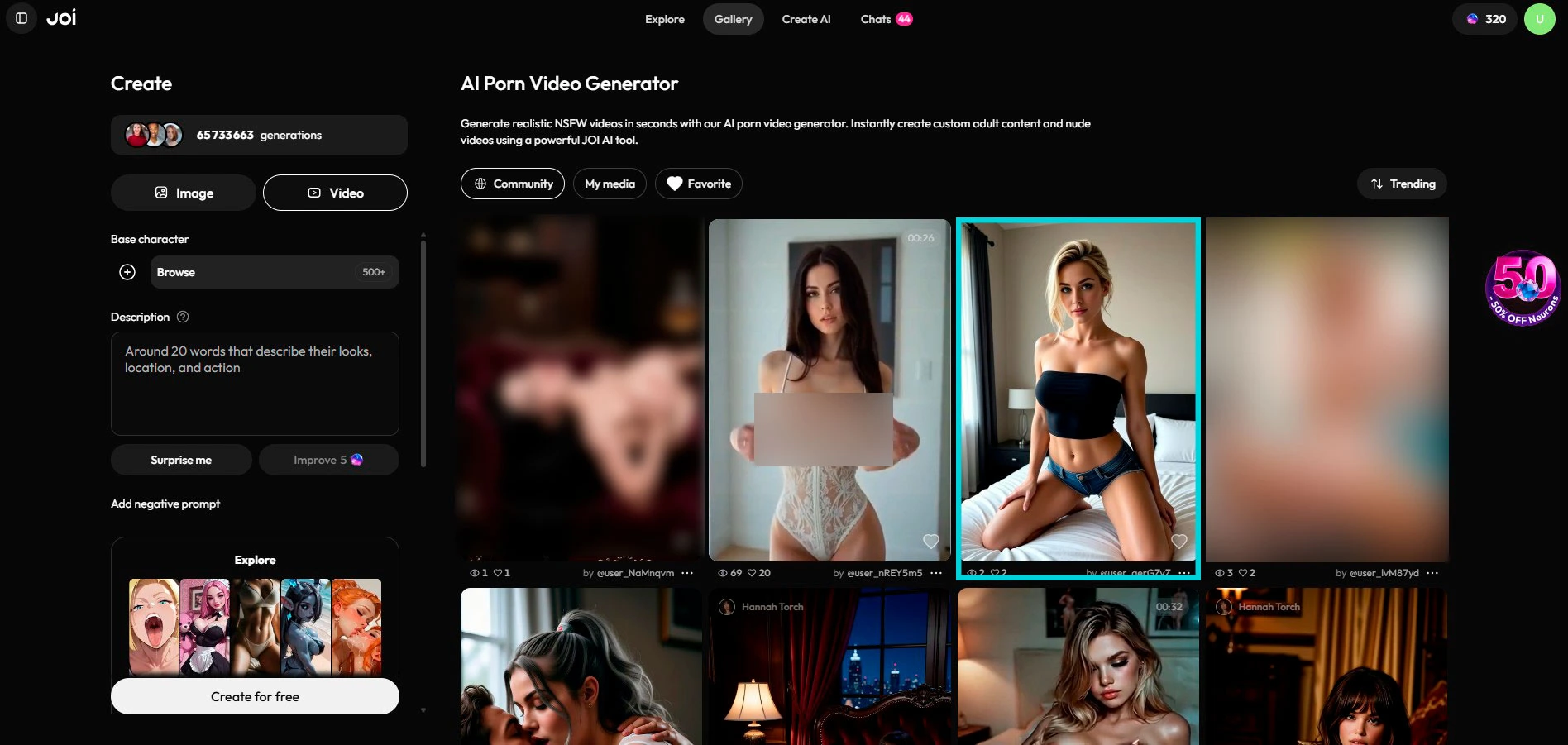
That’s the main path Joi advertises. At the top of the Joi Spicy interface, the “Make a video” button opens a catalog of dedicated video models. These models are built specifically for video generation and aren’t the same as the regular chat characters.
Important: the Joi Babes (Alexis Texas, Amouranth, Adriana Chechik, etc.) are NOT in this catalog. If you want a video of a specific Joi Babe, see flow B.
Flow B — From the individual chat (Joi Babes + custom characters)
If you’re already in a conversation with a Joi Babe or your custom character, you can generate a Dream Clip straight from that chat — without going back through the “Make a video” catalog. The button is built into the conversation interface. Same base price (200 N), same options flow.
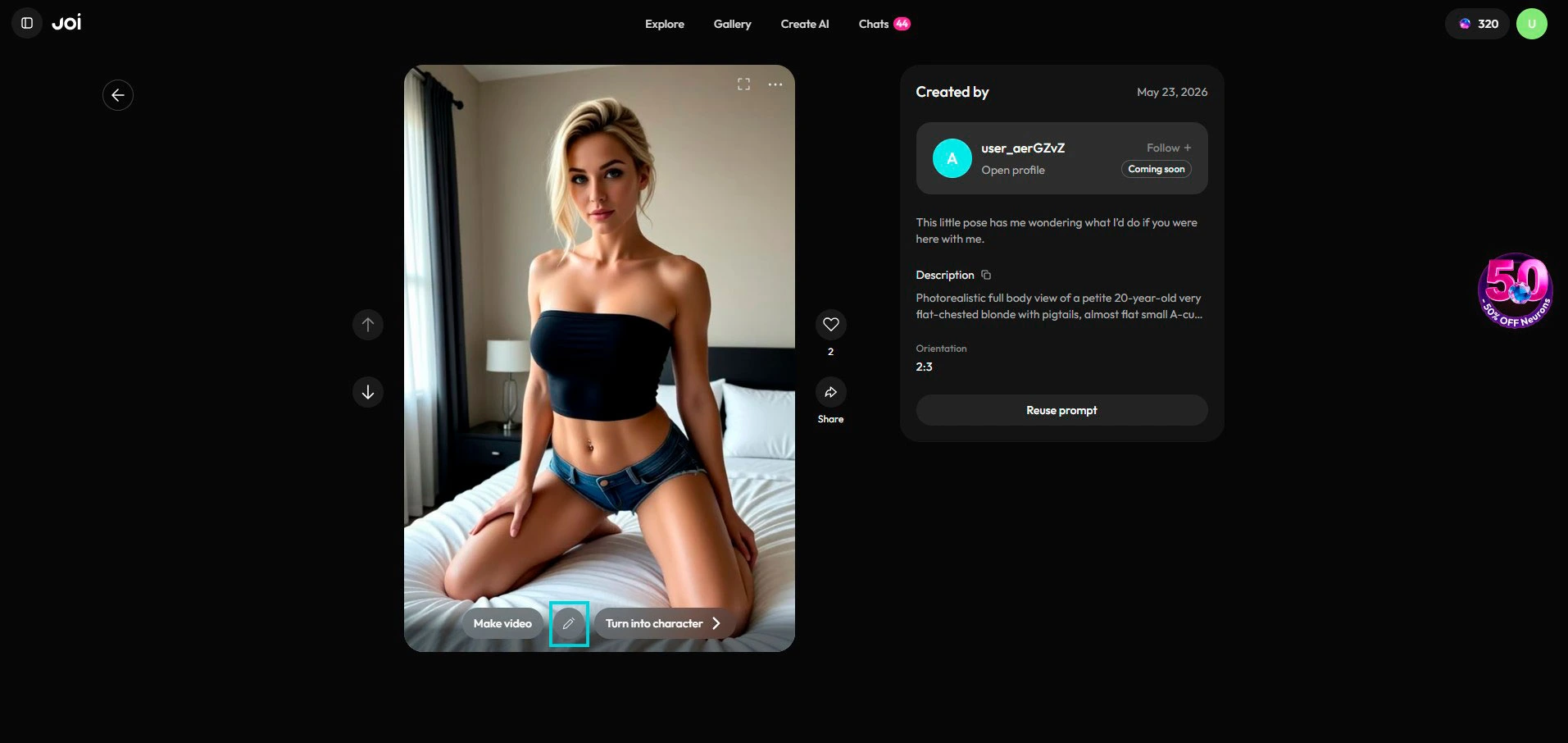
Bottom line: if you want Amouranth on video, go through her chat. If you want to try an “anonymous” video-optimized model, go through the “Make a video” catalog.
Step 2 — Set the Dream Clip options
Once you’ve picked your flow (catalog or individual chat), you land on the same options popup.
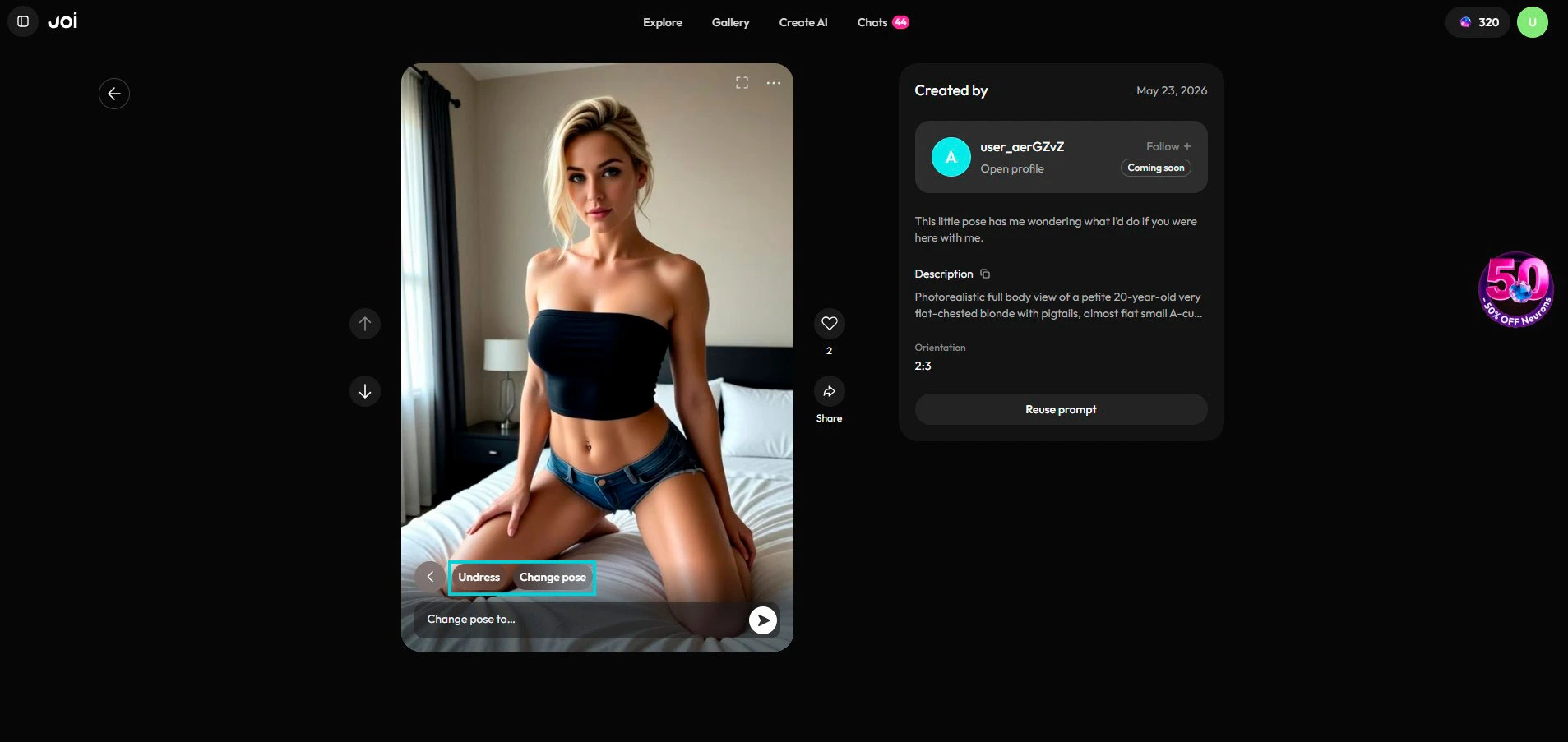
Joi shows the following settings before generating:
- Undress / clothed — NSFW toggle (depending on the character or the video model, undress may be greyed out if adult content isn’t allowed on that profile)
- Position — character pose or camera angle (close-up, wide shot, lying down, standing…)
- Prompt — text field to refine the scene you want (e.g. “looking at camera, smiling, warm light”)
- Edit source photo (optional) — you can retouch the starting image before generating the video. This step costs an extra 20 Neurons. If you’re happy with the original visual, you can skip it.
Cost of the video step itself: 200 Neurons for a standard 5 seconds (~$4). If you added the photo edit, that’s 220 N total.
You confirm by clicking Make a video in the popup.
Step 3 — Wait 20 to 40 seconds
Generation takes between 20 and 40 seconds depending on scene complexity. Joi shows you a progress bar. While it’s working, you can keep writing to your character — it doesn’t lock up the conversation.
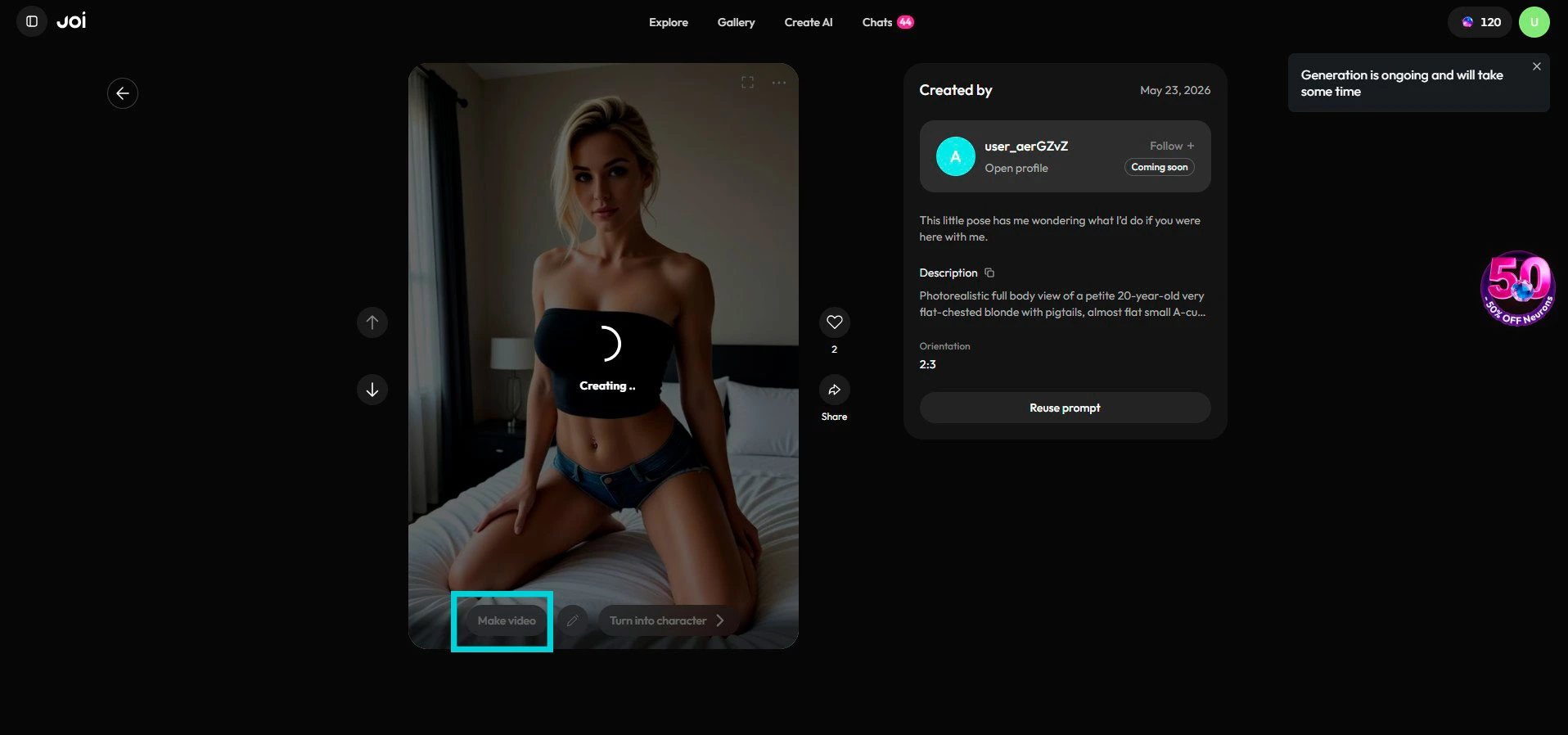
When it’s ready, the Dream Clip shows up directly — a 5-second video on loop, sound off by default. You can watch it fullscreen, download it, or fold it back into the chat.
Extend option: under each generated video, an Extend button lets you stretch the duration for 100 extra Neurons (~$2). You then get a 10-second video total (the original 5s + 5s added). Handy for scenes you actually want to develop — less interesting for quick tests.
The real cost breakdown — what nobody else does
Here’s where Joi gets interesting to understand. Joi doesn’t publish a “real usage cost” page — every figure is buried in popups. Here’s the math, done on the spot.
The price of one Neuron
Joi sells Neurons in packs with bulk discounts. The 10,000 Neurons pack at $119.99 (often at -50% with the N5R90N code on the first purchase) works out to 1 Neuron ≈ $0.012 with code or $0.024 without.
On a 500 Neurons pack at $11.99, it’s 1 Neuron ≈ $0.024.
Monthly cost by usage profile
Based on an annual subscription at $28.80/yr with HELLO50 (so $2/month), here’s what your Joi actually costs by intensity (calculated at ~$0.02 per Neuron):
| Usage profile | Real monthly cost |
|---|---|
| Text chat only | $2 (annual HELLO50) |
| + 1 Dream Clip 5s/week | $2 + (4 × $4) = ~$18/month |
| + 1 Dream Clip 5s/day | $2 + (30 × $4) = ~$122/month |
| + 1 Dream Clip 5s with Extend / week | $2 + (4 × $6) = ~$26/month |
| + 1 extra custom character | $2 + $20 = $22 one-off |
Concrete takeaway: Joi stays reasonable on pure chat, but Dream Clips are the most expensive item in the catalog. If you plan on generating lots of them, budget your Neurons up front. For moderate use (1-4 videos/month), you stay under $20/month all-in.
💡 Tip: if you’re testing a lot, stick to the standard 5s format (200 N) and only use Extend on scenes you actually want to develop. The 50 images/month included in Premium can also cover a good chunk of the visual itch — they’re free.
What Dream Clips do well
- Generation speed: 20-40 seconds, that’s way faster than most competitors. Candy AI runs at 30-45 seconds, but with a still-experimental video feature
- 3 settings before generation: undress, position, prompt — you stay in control of the scene without needless complexity
- Extend button: if a scene grabs you, you stretch it to 10 seconds for 100 Neurons without regenerating
- Two complementary flows: the “Make a video” catalog for dedicated video models, the individual chat to generate a Dream Clip of a specific Joi Babe
- 2026 quality: a serious jump from the late-2025 Dream Clips, the character’s face stays stable from frame to frame
What Dream Clips don’t do (yet)
- No Joi Babes in the “Make a video” catalog: if you want a specific star, you have to go through her individual chat
- No resolution option yet: no 4K, no HD, no custom — you take what Joi gives you
- Extend only at +5 sec: no free duration, the step is fixed (5s standard, 10s with Extend)
- No parallel generation: one video at a time, you have to wait for it to finish before starting another
It’s the trade-off: Joi went for simplicity of use over fine configurability. 3 clear settings, a short wait, a clean result.
Joi Dream Clips vs Candy AI video: which one?
| Criterion | Joi Dream Clips | Candy AI video |
|---|---|---|
| Marginal cost | 200 N (~$4) for 5s | Tokens (variable) |
| Video length | 5 sec standard, 10 sec with Extend | 5 or 10 sec, your pick |
| Resolution | Standard | 4K |
| Speed | 20-40s | 30-45s |
| Pre-gen settings | Undress · Position · Prompt | Free-form prompt |
| Chat consistency | Strong (uses context) | Weak (standalone prompt) |
| Star catalog | Joi Babes via individual chat | No official pornstars |
Verdict: Candy AI wins on raw quality (4K + length choice). Joi Dream Clips wins on experience (chat-integrated, faster, contextual) and on the Joi Babes catalog access — you can generate a video of Alexis Texas or Amouranth straight from her individual chat, which Candy doesn’t offer. If you want the best possible video: Candy. If you want the AI that reacts to chat with a video of a real star: Joi.
→ See also: the Candy AI image and video tutorial
FAQ
How much does a Dream Clip cost on Joi AI?
200 Neurons (~$4) for a standard 5-second Dream Clip. The Extend option costs 100 extra Neurons (~$2) and pushes the video to 10 seconds total. If you edit the source photo before generation, add 20 Neurons for that optional step.
Can you generate a Dream Clip with a Joi Babe (Alexis Texas, Amouranth, etc.)?
Yes — but not via the “Make a video” selector. The Joi Babes aren’t in the dedicated video model catalog. To generate a Dream Clip with a specific Joi Babe, open her individual chat from the Joi Babes catalog and start the video generation from there. Same price as the standard flow (200 N base, +100 N for Extend).
Is the Extend button worth it?
Depends on the scene. Extend = 100 Neurons = ~$2 and pushes the clip from 5s to 10s total. That’s 50% of a standard video’s price for 5 extra seconds. If the scene really grabbed you and you want to see it develop, yes. If you’re testing or exploring, stick to the 5s format — you can generate more for the same budget.
Does the HELLO50 code work on monthly or quarterly?
No — annual only. The code shows -75% on quarterly but Joi charges full price at checkout (tested). Only the $28.80 annual plan with HELLO50 is the real deal.
Can you download your Dream Clips?
Yes — from the chat, a download button appears on each generated video. You can also find them back in your character’s gallery.
Which video model does Joi use?
Joi doesn’t publicly share the name of its internal video model. The performance and rendering suggest a proprietary model or an optimised variant. If you want to dig deeper: the Joi Labs ecosystem (the parent company, which also builds Hope, their philosopher AI) has real internal R&D chops on generative models.
→ My full review of Joi AI → The 8 pornstars who licensed their digital twin on Joi